
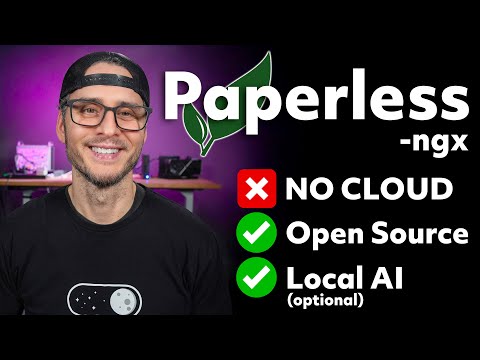
Paperless-ngx + Local AI (Optional): Better OCR, Self-Hosted, No Cloud
Build a complete Paperless-ngx stack in Docker and take control of your documents. We’ll get Paperless running first (works great on its own), then optionally add local AI with Ollama + Open WebUI and upgrade OCR using Paperless-GPT and Paperless-AI for more accurate, searchable text - no cloud required.
00:00 - Intro - Self-hosted, private, AI optional
00:30 - What's included in this Paperless-NGX Stack?
01:11 - Paperless Architecture (Paperless ↔ AI ↔ Ollama)
01:46 - Stack Overview - All services explained
02:45 - Folder layout + ports + .env files
03:10 - Docker Compose up
03:23 - Ollama + Open WebUI setup (port 3001)
03:59 - NVIDIA GPU quick test
04:22 - First login: Paperless-ngx setup (port 8000)
04:43 - Create Paperless API token
05:21 - Paperless-AI setup + settings (port 3000)
08:17 - Upload docs + baseline OCR and metadata results
11:30 - Processing documents with Paperless-AI
12:50 - Updated metadata from Paperless-AI
14:39 - RAG Chat with your documents
16:09 - OCR is still not good
16:31 - Paperless GPT replaces OCR with a Vision model
16:51 - Paperless-GPT setup (port 3002)
17:25 - minicpm-v - an open source multimodal vision model
18:05 - Download opencpm-v to Ollama
18:22 - Paperless-GPT walkthrough (port 3002)
19:10 - Vision OCR demo (before/after)
21:05 - Vision OCR with Watermarks (before/after)
22:32 - Automate with Paperless workflows (auto tags)
24:40 - Testing automated workflow with Vision OCR
26:18 - My thoughts about PaperlessNGX with Local AI
00:00 - Intro - Self-hosted, private, AI optional
00:30 - What's included in this Paperless-NGX Stack?
01:11 - Paperless Architecture (Paperless ↔ AI ↔ Ollama)
01:46 - Stack Overview - All services explained
02:45 - Folder layout + ports + .env files
03:10 - Docker Compose up
03:23 - Ollama + Open WebUI setup (port 3001)
03:59 - NVIDIA GPU quick test
04:22 - First login: Paperless-ngx setup (port 8000)
04:43 - Create Paperless API token
05:21 - Paperless-AI setup + settings (port 3000)
08:17 - Upload docs + baseline OCR and metadata results
11:30 - Processing documents with Paperless-AI
12:50 - Updated metadata from Paperless-AI
14:39 - RAG Chat with your documents
16:09 - OCR is still not good
16:31 - Paperless GPT replaces OCR with a Vision model
16:51 - Paperless-GPT setup (port 3002)
17:25 - minicpm-v - an open source multimodal vision model
18:05 - Download opencpm-v to Ollama
18:22 - Paperless-GPT walkthrough (port 3002)
19:10 - Vision OCR demo (before/after)
21:05 - Vision OCR with Watermarks (before/after)
22:32 - Automate with Paperless workflows (auto tags)
24:40 - Testing automated workflow with Vision OCR
26:18 - My thoughts about PaperlessNGX with Local AI
People In This Video
No users are tagged in this video
Tags
No tags available yet